Auto Text - Schedule Messages
- 4.5
- Rating
- 1.00M
- Installs
- Free
- Price
 Analysis by App-foxy
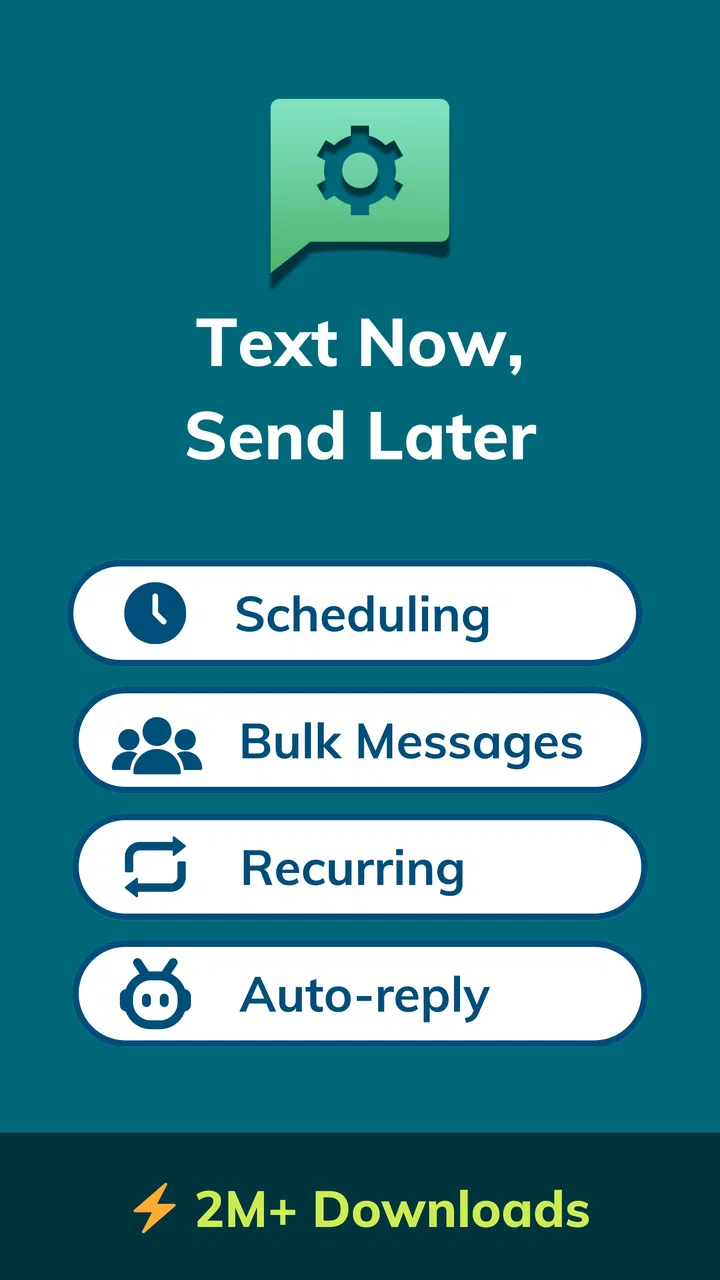
I tried Auto Text - Schedule Messages as a practical communication tool rather than as a novelty, and its appeal became clear quickly: it helps me prepare messages before I need to send them. The app, developed by Bizcraft Apps, is aimed at people who regularly forget reminders, repeat the same updates, or need to coordinate messages across a busy day. It works with scheduled SMS and WhatsApp messages, automatic replies, and bulk messaging, so it sits somewhere between a personal reminder assistant and a lightweight outreach tool.
The basic idea is simple, but the usefulness depends on how carefully I set it up. A scheduled message is only helpful when the recipient, timing, wording, and sending method are all correct. I found that the app rewards a repeatable routine more than random one-off use. Once I treated each message as part of a small workflow, it became easier to avoid rushed typing and forgotten follow-ups.
How the everyday workflow feels
My normal starting point is choosing the communication channel first. A text message and a WhatsApp message may serve the same purpose, but they do not always fit the same contact or situation. SMS is useful when I need a broad fallback or when a recipient does not rely on WhatsApp. WhatsApp is more natural for an existing chat, a family group, or a contact who expects messages there. Separating those choices before writing prevents me from creating a schedule that looks tidy but uses the wrong route.
You May Also Like

 Blood Strike: 2.5 Anniversary
Blood Strike’s Loadouts Turn Every Drop Into a Tactical Gamble
A close look at Blood Strike’s custom loadouts: how fast access to signature weapons reshapes its battle royale rhythm, rewards preparation, and narrows the gap between fights.

 Pandora - Music & Podcasts
Pandora’s Music Is Easy to Start, but Harder to Recover
Pandora’s strength is its low-effort path from a seed to a station. Its weak spot is how much confidence it asks you to place in connection, setup, and quiet recovery.

 8 Ball Pool
 Is Built on Rivalries, Rematches, and Routine
A close look at the rivalries, rematches, shared routines, and unanswered safety questions that turn a quick pool match into a persistent mobile community.

 Samsung Music
’s Quiet Strength Is Playing What You Already Own
Its reach comes less from spectacle than from dependable access to a personal library. That simplicity is both the app’s strongest retention engine and its ceiling.

 AccuWeather: Weather Radar
AccuWeather Review: A Quick, Clear Forecast for Everyday Decisions
For everyday plans, the best forecast is the one you can understand quickly. AccuWeather makes rain timing, radar, and local conditions easy to act on, with a few trade-offs.

 Hill Climb Racing
Why Hill Climb Racing Still Turns Crashes Into One More Run
A tiny car, a bumpy hill and one more upgrade: Hill Climb Racing keeps resurfacing because its simple chaos makes every near-miss feel personal.
More From Our News Desk



From there, I write the message as if it were going to be read without any extra explanation. This is especially important for scheduled messages because I may not be available when they arrive. Instead of writing “See you later,” I prefer wording such as “I’ll meet you outside the library at six.” The extra context makes an automated message feel less confusing and reduces the chance that I will need to send a correction afterward.
A realistic example is a weekly family reminder. I might prepare a message about taking out the recycling or checking a shared appointment, then schedule it for a time when people are likely to notice it. The benefit is not that the app creates a sophisticated planning system; it is that I can move a small responsibility out of my head and into a repeatable message routine. That is where Auto Text feels most useful to me.
The strongest habit is to review the complete message before saving it. I check the recipient, channel, date, time, and whether the wording still makes sense if plans change. A short review is worthwhile because automation magnifies small mistakes. A typo in a normal message can be corrected immediately, while a scheduled typo may sit unnoticed until it is delivered.
The app also supports automatic replies, which changes the workflow slightly. I would use this for a predictable situation where a quick response is genuinely helpful, such as telling someone that I am unavailable and will respond later. I would not treat it as a replacement for personal conversation. An automatic reply should set expectations, not pretend that I am actively engaging when I am not.
Bulk messaging introduces another responsibility. It can save time when the same information is relevant to several people, but a copied message can sound careless if the audience is mixed. I would use it for a clear, shared announcement rather than a personal note. Before sending, I would ask whether every recipient needs the same information and whether the wording exposes anything that should remain private.
Settings that deserve attention before regular use
The first settings I would check are the ones that affect timing and delivery behavior. Scheduling is only dependable when the phone can perform the action at the planned moment. Android devices can manage background activity aggressively, so I would pay attention to any system-level battery or background restrictions that might interfere with an automation app. I would also make sure notifications are enabled, because a visible reminder or status message can help me notice a problem before assuming that everything happened correctly.
For WhatsApp workflows, I would expect the experience to depend more heavily on the phone’s current state than a simple draft inside a notes app. The device needs to be available for the action to work as intended, and changes to the messaging app or the operating system can affect automation behavior. That is not a reason to avoid Auto Text, but it is a reason not to use it for something where a missed message would have serious consequences.
I also recommend checking contact selection carefully. Choosing a name from a list is convenient, but similar names can make mistakes easy, especially when I am preparing several messages in a row. For recurring use, I would keep contact names organized in the phone’s address book and avoid relying on memory alone. A few seconds spent confirming the destination is more valuable than the time saved by rushing through setup.
Message timing deserves the same care. A reminder scheduled for the correct day but the wrong hour can be more annoying than no reminder at all. I prefer to schedule personal messages with a little margin rather than at the exact last possible moment. If an appointment starts at noon, a message at eleven may be more useful than one at eleven fifty-nine, because it leaves room to react if something has changed.
Because the app is free to install but includes in-app purchases ranging from $0.99 to $99.99 per item, I would review any purchase prompt before confirming it. The free entry point makes it easy to test the workflow first. My advice is to begin with a small, low-risk use case and decide whether the app fits your habits before paying for anything. I would not purchase access simply because I hoped it might solve a problem I had not yet tested.
Shortcuts and repeatable patterns that save real time
The most effective way I found to use Auto Text is to build a small library of message patterns in my own writing. I do not mean copying the same sentence blindly. I mean preparing a structure with the details that usually matter: who needs to act, what needs to happen, and by when. This makes recurring messages faster to compose while leaving room for the specific date, location, or instruction.
For example, a useful reminder pattern might contain a greeting, the action, a time reference, and a simple closing. I can then adapt it for a household task, a study group, or a work-related update. The advantage is consistency without making every message sound robotic. The trade-off is that I need to reread the customized parts, because an old location or date can remain in the text if I edit too quickly.
Another practical pattern is separating preparation from delivery. I prefer to create several messages during a quiet moment, then check them together before leaving them scheduled. This is less stressful than composing each one while distracted. It also makes it easier to spot conflicts, such as two reminders going to the same person at nearly the same time.
For automatic replies, I would keep the wording short and honest. A reply that says I am unavailable and gives a general expectation is more useful than a long explanation. I would also avoid using an automatic response for conversations that require judgment, emotional sensitivity, or different answers for different people. In those cases, a normal manual reply is the better tool.
Bulk messaging works best when I treat it as a distribution task, not as a shortcut for personal communication. I would prepare the announcement, verify the audience, and remove details that only apply to one recipient. If individual follow-up is likely, I would send the shared information first and handle personal questions manually. This keeps the automated part efficient without allowing it to replace basic attention.
One non-obvious trade-off is that automation can make me less aware of changing plans. When I schedule something far in advance, I need a review habit. I would look at upcoming messages before an event or at the beginning of the day and cancel or edit anything that no longer fits. The app helps me remember to communicate, but it cannot know that a meeting moved or that a family plan changed unless I update the schedule.
Where the app is helpful, and where its limits show
Auto Text is a good fit for people who repeat communication tasks. That includes reminders for a household, routine check-ins, planned updates, and simple availability messages. It can also help someone who thinks clearly in the evening but tends to forget messages during a busy morning. Preparing communication ahead of time reduces the mental load of remembering every small obligation.
It is less suitable for people who want a full team collaboration system, a detailed customer relationship tool, or a replacement for a calendar. A scheduled message does not automatically provide the shared visibility, task ownership, or rich planning context that those tools are designed for. If several people need to edit a plan together, a calendar or project app may be a better foundation, with Auto Text used only for selected notifications.
I would also avoid depending on it for urgent or high-stakes communication. A medical emergency, a time-critical work instruction, or a message that must be confirmed immediately should be handled directly. Automation is valuable for predictable communication, not for situations where delivery, interpretation, or response must be guaranteed.
Compared with writing drafts in a notes app, Auto Text has the obvious advantage of connecting preparation with a planned sending action. A notes app gives me more freedom to store ideas, but it still depends on me remembering to return and send them. Compared with ordinary manual messaging, Auto Text is better for repetition and timing, while manual messaging remains better for nuance and live conversation.
Compared with a calendar, the app is more direct when the desired result is a message rather than an event reminder. A calendar can show the broader schedule and invite other people, but it may not be the quickest way to send a simple text. I see Auto Text as a communication layer, not a complete planning environment. Using it alongside a calendar can work well, provided I do not create conflicting reminders in both places.
There is also a privacy and attention trade-off in any tool that handles outgoing communication automatically. I would be careful with sensitive content, check the selected recipients, and avoid including information that does not need to be sent. I would also keep automatic replies limited, because too many repeated responses can make conversations feel impersonal and may encourage people to wait for a message that I never intended to send immediately.
Compatibility, cost, and who should install it
The app is listed for Everyone and requires Android 7.0 or later, which makes it accessible to a wide range of Android users. Its current version is 6.0.8, and the app has been available since January 13, 2016. Those details matter mainly because users with older phones should check compatibility before planning a workflow around it, while users on newer devices should still review system restrictions that can affect scheduled actions.
Its audience size suggests that the concept has broad appeal: Auto Text has more than one million installs, with an average rating of 4.5 from roughly thirty-three thousand ratings and about four thousand four hundred written reviews. I take that as a useful sign that the app solves a recognizable problem for many people, but I would still test it with harmless reminders first. Ratings cannot tell me whether a particular phone model, operating-system configuration, or messaging habit will behave exactly as I expect.
The free price is a sensible reason to try it, especially if I only need occasional scheduling. The in-app purchase range means the cost can vary depending on what I choose, so I would look at the purchase details inside the app rather than assuming every capability is included at no charge. For a person who sends only a few planned messages each month, even the free experience may be enough. Someone managing frequent routines should evaluate whether the paid options offer value before building a large system around them.
I would recommend it to an Android user who regularly sends the same kinds of reminders, forgets to reply during busy periods, or wants to prepare WhatsApp and SMS communication ahead of time. I would skip it if I rarely send scheduled messages, dislike checking automation settings, or need a shared workspace where several people can manage communication together.
My verdict after building a routine around it
Auto Text - Schedule Messages is most convincing when used as a disciplined communication assistant. Its real strength is not simply that it can send something later. The useful part is the combination of scheduled SMS and WhatsApp messages, automatic replies, and bulk messaging in one focused app. That combination can turn recurring communication into a routine instead of a daily memory test.
My best advice is to start small: create one low-risk reminder, confirm the recipient and timing, observe how the workflow fits your phone, and then expand gradually. Keep message templates flexible, review future schedules, and reserve manual messaging for conversations that need a human response. Those habits matter as much as the app itself.
After using it this way, I see Auto Text as a practical choice rather than a universal communication solution. It saves effort when the message is predictable and the timing is known. It becomes less appropriate when circumstances change quickly or when the conversation needs judgment. If your daily communication includes repeatable reminders and planned updates, I think it is worth trying; if your messages are mostly spontaneous, a normal messaging app will probably feel simpler.
FAQs for Auto Text - Schedule Messages
01What is Auto Text - Schedule Messages used for?
Auto Text - Schedule Messages is designed to help you prepare messages in advance and send them automatically at a chosen date and time. It can be useful for reminders, birthday greetings, work updates, recurring notifications, and personal messages. Instead of relying on memory, you create the message once, select the recipient and schedule, then let the app handle the reminder or sending process according to the permissions and messaging options available on your device.
02Does Auto Text - Schedule Messages send messages automatically?
The app’s automation capabilities depend on your device, operating system, messaging service, and the permissions you grant. On some phones, it may be able to send messages automatically, while on others it may open the messaging application and require confirmation because of Android or iOS security restrictions. Before scheduling important messages, test the feature with a non-essential contact to understand exactly how the process works on your device.
03Which messaging services and devices are supported?
Compatibility can vary depending on whether you use Android or iOS, as well as the messaging applications installed on your phone. Auto Text - Schedule Messages may primarily work with standard SMS or selected communication platforms, but support for services such as WhatsApp, Messenger, or email should not be assumed without checking the current app description. Device permissions, operating-system updates, and regional limitations can also affect which features are available.
04What permissions does the app require, and is my information safe?
A scheduling app may request access to contacts, notifications, SMS functions, or background activity so it can identify recipients, remind you about upcoming messages, and perform automation tasks. You should review these permissions before accepting them and check the developer’s privacy policy for details about data collection and sharing. Avoid granting access that is not necessary, and remember that storing sensitive message content inside any third-party app carries some privacy risk.
05Can I edit, cancel, or schedule recurring messages?
Most scheduling tools allow you to review planned messages and change the recipient, text, date, or delivery time before the scheduled event. Depending on the version and platform, you may also be able to create recurring messages for daily, weekly, or monthly use. However, recurring automation can be affected by battery-saving settings, background restrictions, connectivity problems, or operating-system limitations, so check the schedule regularly and confirm that important messages were delivered.
Pros
- Schedules texts to send automatically at a chosen date and time.
- Useful for reminders
- greetings
- follow-ups
- and recurring messages.
- Simple interface makes creating scheduled messages quick.
- Supports planning messages ahead without relying on memory.
- Can improve communication across busy personal or work routines.
Cons
- Automatic sending may require accessibility or notification permissions.
- Some features may be limited or unavailable on iOS devices.
- Recurring messages can be sent accidentally if not reviewed carefully.
- Compatibility may vary between SMS
- messaging
- and social apps.
- Scheduled texts may fail if the phone is offline or restricted in the background.

Auto Text - Schedule Messages
Gallery